


NYSORA Nerve Blocks
4.235.00 Reviews
App Specs
- Version
- 4.8.0
- Updated On
- License
- Free
- Downloads
- 100,000+
- Developer
- NYSORA.INC
- Categories
- Medical
- Platform
- Android
Screenshots
 Analysis by AppCompare
When I need to check a nerve-block reference in the middle of a busy day, the main question is not just what the guide says but whether I can reach the relevant page quickly. That practical concern is what makes NYSORA Nerve Blocks worth considering. It is a medical reference app from NYSORA.INC focused on ultrasound-guided nerve blocks, and I see it as a focused companion for clinicians and learners rather than a replacement for formal training or clinical judgment.
What’s Inside the App?
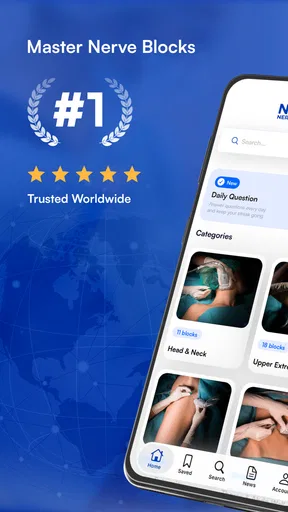
NYSORA Nerve Blocks is packed with a comprehensive guide on regional anesthesia techniques. From the moment you open it, you’re greeted with a user-friendly interface that’s as intuitive as flipping through a well-organized textbook. It’s like having a portable nerve block encyclopedia right in your pocket!
Finding the right reference under pressure
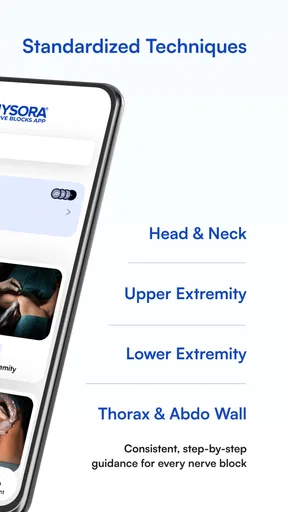
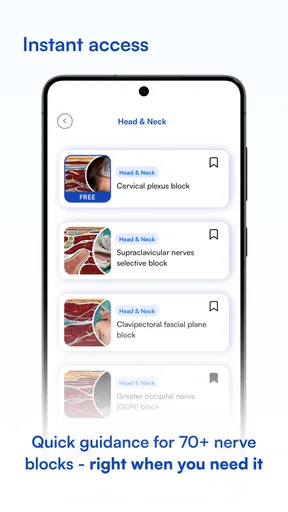
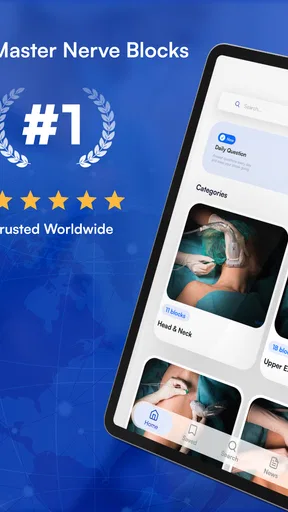
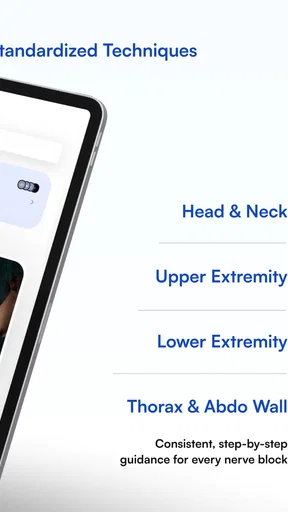
One of the first things I noticed was how easy it was to navigate. The app has a clean layout with a sidebar menu that categorizes the information neatly. Whether you’re searching for upper limb blocks, lower limb blocks, or even truncal blocks, everything is just a tap away. It’s designed to get you the information you need without wading through unnecessary clicks.
That organization matters most when I have a specific question, not when I am browsing casually. A trainee preparing for a teaching session might start with a body region and then review the relevant technique, while an experienced clinician may already know the block name and want to refresh the sequence. In either case, a clear route through the material is more useful than a broad medical search that mixes patient information, advertisements, and unrelated articles.
For a realistic example, imagine reviewing a planned case before a shift and realizing that one block is less familiar than the others. I would use the app beforehand to orient myself, note the landmarks and steps that need attention, then discuss the plan with a qualified colleague as appropriate. I would not treat a quick phone lookup as a substitute for supervision, local protocols, equipment checks, or the patient-specific assessment required before performing a procedure.
Diagrams help, but they are not a substitute for practice
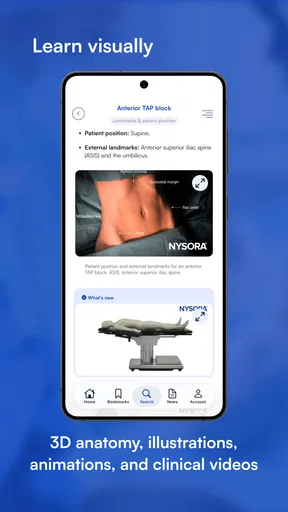
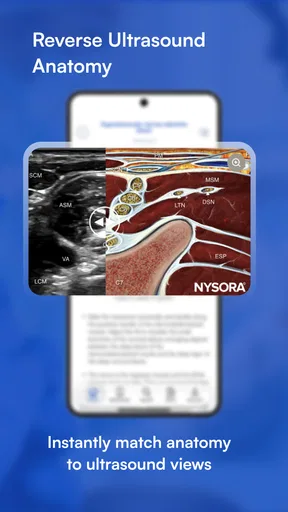
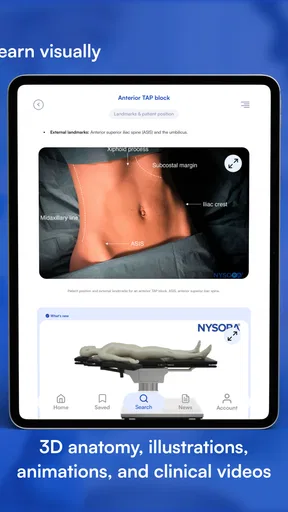
If you’re a visual learner like me, you’ll appreciate the high-quality images and illustrations included in the app. Each nerve block section is accompanied by detailed diagrams, making it easier to understand and apply the techniques. The visuals are crisp, and they really help in grasping those intricate anatomical landmarks.
The most useful way I find to read these illustrations is actively: pause at the anatomy, identify the structures before reading the accompanying explanation, then compare my understanding with the guide. That turns a diagram from something attractive on a screen into a small self-check. It is also a sensible way to spot uncertainty early, before a learner carries a mistaken assumption into a supervised discussion.
Worth Reading Before You Choose

Flipboard Shows What News Apps Must Do Beyond the Feed

Switching to Android Auto Means Rethinking Your Driving Routine

Google Calendar Makes a Crowded Week Easier to Manage

Ludo King Makes the Most of the Minutes Between Plans

Baby Panda World Brings Quick Play to Modern Phones, but Its Game Library Feels Busy

ESPN’s Live Game View Makes Following Close Games Easier
There is a trade-off with any mobile image. A phone is convenient, but a small display can make fine detail harder to inspect than it would be on a larger screen. I would use the illustrations for orientation and revision, and move to a larger display or an authoritative teaching resource when I need to study subtle anatomy closely. In a clinical setting, the screen should support—not distract from—patient care and the direct use of ultrasound equipment.
Technique steps are best used as a learning prompt
Another feature that stands out is the step-by-step technique guide. The app breaks down each nerve block procedure into digestible steps, ensuring you don’t miss any critical details. It’s like having a mentor guiding you through each procedure, which is incredibly reassuring, especially for those new to regional anesthesia.
I would treat that sequence as a preparation and review aid, not as a checklist that independently authorizes a procedure. A useful habit is to read the technique once before a case, then ask what could change the approach for the particular patient and setting. That question keeps the reference in its proper role: it can help organize knowledge, but it cannot account for every clinical variation or replace hands-on instruction.
This distinction is especially important for people early in training. The clear steps may make a technique feel approachable, but confidence should come from supervised practice and feedback, not from the apparent completeness of a screen. For an experienced practitioner, meanwhile, the same structure can be a quick memory jog when returning to a less frequently used block.
Connectivity shapes when the app is useful
A mobile reference only helps if it is available at the moment you need it. Network conditions can vary between clinical areas, teaching rooms, public transport, and home, so I would check how the app behaves on the device and connection I expect to use before relying on it during a busy shift. I would also open the relevant material ahead of time when possible rather than assume a page will load instantly in a low-signal location.
The app’s practical value is therefore partly about timing. At home, a stable connection makes it easier to browse deliberately and compare related sections. On the move, interruptions can turn a quick lookup into an irritating wait. If you are planning to use a reference in a location with unreliable service, test access beforehand and keep a dependable alternative available for information that is essential to immediate care.
I would not build a clinical workflow around an assumption that every screen will always be reachable. A phone can lose signal, a connection can slow down, and a device can run low on power. The sensible response is to prepare before the case and follow the institution’s established resources and procedures if the app is unavailable. That is a general safeguard, not a criticism unique to this title.
Evidence and clinical judgment belong together
The app doesn’t just throw information at you; it’s all evidence-based. The content is backed up by the latest research and guidelines, giving you confidence in the techniques you’re learning. The developers update the app regularly, so you’re always in the loop with the latest advancements and recommendations.
I would still compare any reference with current local guidance when a decision depends on a specific protocol. Medical practice changes, and an app is most helpful when it supports a clinician’s broader knowledge rather than becoming the only source consulted. For students, it can help structure revision; for practicing professionals, it can prompt a refresher. Neither use removes the need to evaluate the patient, the available equipment, and the circumstances of care.
That is also where this app differs from the usual alternatives. A general web search can surface a wider range of perspectives, but it may take longer to judge which source is relevant and trustworthy. A textbook can be valuable for deeper study, yet it is less convenient to carry from room to room. This app occupies the middle ground: a focused, pocket-sized reference that is easier to consult than a large book, but not a complete course or a substitute for broader clinical resources.
Using it on a phone without losing focus
My practical advice is to use the app in short, purposeful sessions: identify the question first, navigate to the matching region or technique, and read with a specific learning goal in mind. That is more efficient than scrolling without a clear purpose, especially when time is limited. For study, I would finish by explaining the key steps in my own words or discussing them with a colleague; simply recognizing a diagram is not the same as being able to perform a technique safely.
In a clinical environment, attention is a limited resource. I would avoid trying to read while simultaneously managing a procedure or neglecting a patient conversation. A quick reference is best consulted at an appropriate pause, with the phone used as a supporting tool rather than the center of the encounter. This small boundary makes a mobile guide more useful and helps prevent convenience from becoming distraction.
Cost, access, and who should choose it
The app is free to install, is rated for Everyone, and has an average rating of 3.9 from around 970 ratings. It has passed 100,000 installs, which suggests that it has found an audience, though popularity alone does not tell me whether it suits a particular learner. It was released in February 2020, and version 4.0.27 is the current version. In-app purchases range from about $13 to $200 per item, so I would check what is included in any paid option before deciding to spend.
That pricing arrangement makes it worth separating “free to try” from “everything is included.” If you only need occasional access or want to judge whether the presentation fits your learning style, starting without a purchase is a reasonable approach. If you are considering paid material, first decide which content you need and whether your institution already provides a suitable reference. That avoids paying for material that duplicates resources you already use.
I think the app is best suited to anesthesia and pain-management professionals, trainees in regional anesthesia, and learners who benefit from technique-focused visual review. It is less suitable for someone seeking a general health app, patient-facing explanations, or a complete substitute for a course, textbook, or supervised practice. A clinician who needs a single authoritative answer for an urgent case should follow local protocols and use the appropriate clinical support rather than rely on a phone app alone.
Personal Experience
As someone who’s been in the field for a while, I found this app to be a valuable addition to my toolkit. It’s not just for learning, but also for brushing up on techniques that you might not use regularly. I’ve found myself referring to it quite often, and it’s been a lifesaver during those complex cases where precision is key.
Room for Improvement
No app is perfect, right? While NYSORA Nerve Blocks does an excellent job with its content, I’d love to see more interactive elements. Maybe some quizzes or case studies to test your knowledge? That would definitely enhance the learning experience and make it even more engaging.
Also, a dark mode option would be a nice touch for those late-night study sessions. But these are minor tweaks in an otherwise stellar app.
For me, the bigger practical question is not whether a medical reference can replace a book or a mentor—it cannot—but whether it makes a targeted refresher easier to reach. This one is most convincing when I already know what I want to review and need a visual, organized route to it. If I am starting from scratch, trying to resolve a complex clinical question, or working somewhere with uncertain connectivity, I would pair it with teaching, local guidance, and a more dependable backup rather than expect one app to cover every need.
Overall, NYSORA Nerve Blocks is a must-have for anyone in the medical field dealing with regional anesthesia. It’s practical, detailed, and incredibly user-friendly. So, if you haven’t already, give it a try and see how it can improve your practice.
Pros
- Comprehensive block techniques guide
- User-friendly interface
- Regularly updated content
- Includes detailed illustrations
- Offline access available
Cons
- Limited to nerve block techniques
- Requires subscription for full access
- No interactive learning features
- Not available in multiple languages
- Occasional app crashes
FAQs for NYSORA Nerve Blocks
What is the main purpose of the NYSORA Nerve Blocks app?
The NYSORA Nerve Blocks app is designed to provide comprehensive educational resources on nerve block techniques. It offers detailed visual guides, step-by-step instructions, and essential tips for healthcare professionals looking to enhance their skills in regional anesthesia. This app serves as a valuable tool for both learning and reference in clinical practice.
Is the NYSORA Nerve Blocks app suitable for beginners in anesthesiology?
Yes, the app is suitable for beginners as well as experienced practitioners. It offers a range of content tailored to different expertise levels, including foundational knowledge for novices and advanced techniques for seasoned anesthesiologists. The structured learning modules make it an excellent educational resource for users at any stage of their career.
Does the app require an internet connection to access its features?
The NYSORA Nerve Blocks app primarily requires an internet connection for downloading updates or accessing certain online features. However, once the content is downloaded, most of the materials, such as visual guides and instructional videos, can be accessed offline. This makes it convenient for use in environments where connectivity may be limited.
Are there any in-app purchases or subscription fees associated with the app?
The app may include both free and premium content. While some resources are accessible at no cost, there might be features or advanced learning modules that require a one-time purchase or subscription. It is advisable to check the app’s pricing structure on the official app store page for accurate information regarding costs.
How frequently is the app updated with new content?
NYSORA regularly updates the app to ensure users have access to the latest techniques and research in nerve blocks. These updates may include new videos, articles, and enhanced interactive features. Users are encouraged to enable notifications to stay informed about the latest additions and improvements to the app.


